
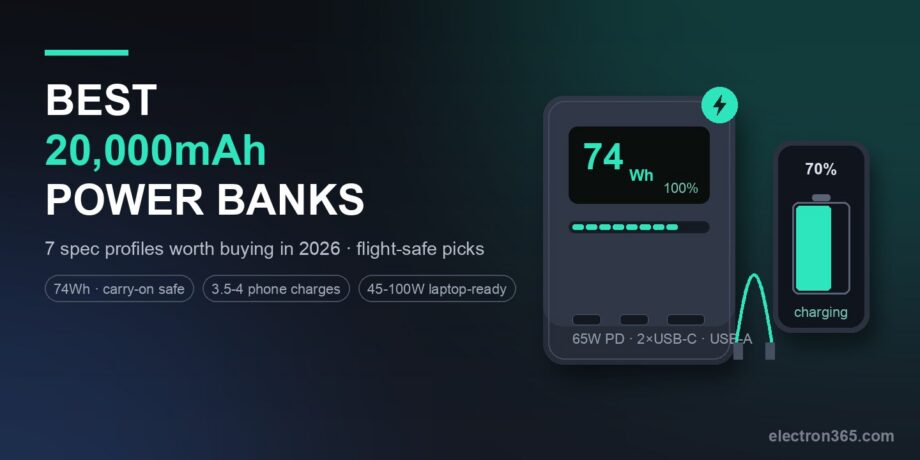
A dead phone at 3 p.m. is bad. A dead phone at a festival, on a trail, at Gate B34, or during a blackout is worse. That’s the job of a 20,000mAh power bank: enough capacity to keep a phone alive for a long weekend, top up a tablet twice, or give a laptop a real second battery — while still fitting in a bag pocket instead of a backpack of its own.
But “20,000mAh” is also the most abused number in charging. Two banks with identical capacity labels can differ by 3× in charge speed, 40% in usable output, and 100% in whether the TSA agent at security waves you through. This guide breaks down what 20,000mAh actually buys you, the seven spec profiles worth buying in 2026, and the accessories that turn a good power bank into a great travel kit. For the wall-charger side of your setup, see our holiday travel charger guide; this article is strictly about the battery you carry.
What Does 20,000mAh Actually Give You?
Milliamp-hours describe the cells inside the bank — almost always three or four lithium-polymer cells at 3.7V. Your phone charges at 5V or 9V, so the bank has to convert, and conversion loses 25–35% of the energy as heat. Real-world math from a healthy 20,000mAh bank:
- Phones (~3,000–3,300mAh usable): 3.5 to 4 full charges. A weekend away without a wall outlet, easily.
- Large phones (~4,500–5,000mAh usable): 2.5 to 3 full charges.
- Tablets (~7,000–9,000mAh usable): roughly 1.5 to 2 charges.
- Laptops (~50–70Wh battery): about 0.6 to 1 full charge — meaningful flight time, but only if the bank outputs 45W+ (more on that below).
- Earbuds, watches, headlamps: a dozen or more top-ups. These barely move the needle.
If you want the full unit-conversion story — why 20,000mAh at 3.7V equals 74Wh, and why watt-hours are the honest number — the math is covered in our watts vs volts explainer. The short version: watt-hours are what airlines, and physics, actually count.
The One Rule That Matters at the Airport
A 20,000mAh bank is rated at 74Wh (20,000 × 3.7V ÷ 1,000). The FAA, EASA, and most Asian carriers allow batteries up to 100Wh in carry-on baggage, no airline approval needed. That makes 20,000mAh the largest common size that flies without paperwork — one reason it’s the sweet spot. Three rules to remember:
- Carry-on only, always. Spare lithium batteries are banned from checked bags worldwide. Not “discouraged” — banned.
- Stay under 100Wh. 20,000mAh (74Wh) qualifies; 27,000mAh (99.9Wh) is the absolute ceiling. Anything above needs airline approval, and many carriers just say no.
- One bank per person is safe; airlines typically allow two. Check your carrier if you carry more.
Our full travel charging setup guide covers packing strategy, cables, and country plug formats in depth.
Quick Comparison: 7 Top Picks
| # | Spec Profile | Street Price | Best For | Key Output |
|---|---|---|---|---|
| 1 | 65W two-port PD bank | $35–$45 | Best overall | 45–65W USB-C |
| 2 | 100W/140W PD 3.1 bank | $60–$90 | Laptop users | 100W+ USB-C |
| 3 | 22.5W budget bank | $16–$22 | Phone-only budgets | 20–22.5W |
| 4 | Magnetic (MagSafe-style) bank | $30–$40 | iPhone users | 15W magnetic + PD |
| 5 | Airline-max 27,000Wh-class travel bank | $45–$60 | Long-haul travel | 65W, 99Wh ceiling |
| 6 | Rugged outdoor bank (LED + IP rating) | $30–$50 | Camping, emergencies | 30W + lamp/torch |
| 7 | Slim built-in-cable bank | $20–$30 | Pocket carry | 20–30W |
Price bands are typical 2026 street prices for certified banks from reputable brands (Anker, Baseus, Ugreen, EcoFlow and similar). The accessories recommended alongside them — marked with links — are verified in stock at Electron365.
The 7 Best 20000mAh Power Bank Profiles in 2026
1. Best Overall: 65W Two-Port PD Bank ($35–$45)
This is the profile most people should buy. One USB-C port that outputs 45–65W — enough to charge a MacBook Air, an iPad Pro, or a Steam Deck at or near full speed — plus a USB-A port for a second device, and a small digital display showing exact percentage (get the display; four vague LED dots are how banks die quietly in a bag). Input is usually 45–65W too, which matters more than buyers think: a bank that refills at 60W goes 0–100% in under two hours, while an 18W-refill bank takes five. Look for PD 3.0 with PPS support so Samsung phones negotiate their Super Fast Charging rate — the same protocol logic explained in our USB-C PD explainer.
2. Best for Laptops: 100W/140W PD 3.1 Bank ($60–$90)
If your bank’s job includes a 14- or 16-inch laptop, 65W is the floor, not the target. The 100W–140W class uses PD 3.1 to deliver genuine full-speed charging to power-hungry machines, and typically splits output intelligently: 100W on one port, 30W on the other, rebalanced as devices fill. Two things to check before paying the premium: that your laptop actually negotiates those rates (a 65W laptop won’t charge faster on a 140W bank — see our 100W laptop charger guide for the negotiation logic), and that the bank ships with a 100W-rated cable — a 60W cable silently caps the whole system.
3. Best Budget Pick: 22.5W Two-Port Bank ($16–$22)
Under $25, priorities change: capacity and safety yes, laptop charging no. The good budget banks still offer 20–22.5W output with legacy fast-charge protocols (SCP/AFC for Samsung and Huawei families, QC 3.0), two ports for phone + earbuds, and proper certification markings (UL, CE, FCC — non-negotiable at any price). Skip any ultra-cheap bank with a capacity claim above 20,000mAh in a pocket-size shell; 30,000mAh+ claims in small cases are the classic counterfeit tell. Pair a budget bank with a quality cable and it will happily do 90% of what a $45 bank does for phones — our fast-charging cable guide covers the pairing rules.
4. Best for iPhone: Magnetic Snap-On Bank ($30–$40)
Magnetic banks turn charging into a zero-thought action: the bank snaps to the back of a MagSafe iPhone (12 and later) and charges at 7.5–15W with no cable at all. The best 20,000mAh versions add a fold-out stand, a USB-C port with 20–30W output for Android passengers, and pass-through charging (wall power in, phone and bank both charging overnight — one outlet, full morning). Non-magnetic phones and cases need a magnetic ring adapter; the concept is the same one we cover in What Is MagSafe?. The trade-off is honest: magnetic charging is slower than cable, and the stack is heavy for one-handed use. It’s a convenience purchase, and worth it.
5. Best for Long-Haul Travel: 99Wh-Class Travel Bank ($45–$60)
Strictly speaking these are 26,800–27,000mAh banks — 96–99Wh, engineered to sit just under the 100Wh airline ceiling. That’s roughly 5 phone charges plus a laptop top-up between the wall outlets of a 14-hour travel day. Look for 65W output, dual USB-C, and a stated Wh rating printed on the shell (security agents do read it, and a printed rating ends the conversation). If you fly monthly or take one big trip per year with connections, this profile beats buying two 20,000mAh banks.
6. Best for the Outdoors: Rugged Bank with LED Torch ($30–$50)
Camping and emergency kits want three things a normal bank lacks: impact resistance, an IP rating against rain and dust, and a serious LED torch that turns the bank into a lantern (some fold-out panels add trickle solar — nice to have, never primary; solar on a pocket-size panel is a two-day recharge). Output of 30W covers phones, headlamps, GPS units, and action cameras. This is also the right profile for a car glovebox or home emergency kit: a 20,000mAh bank with a torch will run a phone and light for days in a power cut.
7. Best for the Pocket: Slim Bank with Built-In Cable ($20–$30)
Most 20,000mAh banks weigh 350–450g — bag territory. The slim class uses high-density cells to shave that toward 300g and integrates a short USB-C cable (and sometimes a fold-flat wall plug on newer designs), so the whole kit is one smooth object with nothing to forget. Output is a modest 20–30W: fine for phones and earbuds, forget laptops. This is the “always in the jacket pocket” bank, and the one travelers actually end up using most — convenience wins.
How to Choose: Five Specs That Separate Good Banks from Bad
- Output wattage first, capacity second. Every bank above ~$20 has enough capacity for your phone; the difference is whether it charges a laptop, a Steam Deck, or only earbuds. Match the wattage to your most demanding device.
- Input (refill) speed. An 18W-refill bank takes 5–6 hours to top up; a 45–65W-refill bank takes 90–120 minutes. If you recharge overnight this doesn’t matter; if you recharge between meetings and flights, it’s everything.
- Digital display. Exact percentage beats four LEDs. It also catches a dying bank early — capacity fade is normal (expect 80% health after ~500 full cycles).
- Pass-through charging. Lets one wall outlet charge the bank and your devices simultaneously. Standard on good banks, missing on cheap ones.
- Certification and honest marketing. UL/CE/FCC marks, a printed Wh rating, and no “charges your phone 12 times” claims. Real math is in the section above; anyone promising 3× that is lying. Our fast charging myths piece covers the pattern.
Don’t Forget the Refill: Accessories That Actually Matter
A power bank is half a system — the refill side decides whether it’s ever charged when you need it. These pairings are verified in stock at Electron365:
- UK/AU/EU/US USB-C Charger 65W PD — $13.75: the single best companion for a 65W-class bank. Interchangeable plugs cover four continents, and 65W output refills a fast-input bank at full speed in about two hours. This combo replaces every travel adapter debate.
- Braided 35W Fast Charge PD Cable — $7.91: a braided, properly-rated PD cable for the bank-to-phone link. Cables are the #1 hidden bottleneck in slow charging — the diagnosis flow is in why is my phone charging slow.
- 100W Fast Charging Multi-Charger Cable — $9.99: for 100W-class banks and laptop duty, where a 60W cable would silently cap everything. One cable, three connectors, full-rated power.
- 6-Port USB Fast Charger — $15.16: the home-base solution: bank, phone, earbuds, watch, tablet, console controller — all refilling from one socket overnight. Why GaN made this kind of desktop brick practical is covered in GaN vs standard chargers.
Four Mistakes That Quietly Ruin a 20,000mAh Bank
- Refilling it with a 10W brick. The included-or-borrowed 5W–10W charger turns a 2-hour refill into a 10-hour one, so the bank is never ready. Use a 30W+ PD charger; the 65W four-plug charger above exists exactly for this.
- Storing it fully drained. Lithium cells degrade fastest at 0% and 100%. Store at ~50%, top up before trips, and recharge after use rather than “next time”.
- Checking it into hold luggage. Beyond the airline rule: baggage holds are unattended. Keep spare banks in the cabin, and tape over terminals if you pack more than one.
- Buying capacity you don’t carry. A 27,000Wh-class bank left at home because it’s heavy protected nobody. The best bank is the one that’s actually in your bag — if in doubt, buy the lighter profile.
FAQ
How many times will a 20,000mAh power bank charge my phone?
Plan on 3.5–4 full charges for a compact phone (3,000–3,300mAh) or 2.5–3 for a large flagship (4,500–5,000mAh), after typical 25–35% conversion losses. Anyone advertising significantly more is counting the cells’ raw capacity, not what reaches your phone.
Is a 20,000mAh power bank allowed on flights?
Yes — 20,000mAh equals 74Wh, comfortably under the 100Wh limit that the FAA, EASA, and most carriers allow in carry-on baggage without approval. Never place spare power banks in checked luggage.
Can a 20,000mAh power bank charge a laptop?
Only if it outputs at least 45W (most modern ultrabooks) or 65–100W (larger MacBooks and gaming laptops). Check the bank’s USB-C output rating, not its capacity. Our 100W charger guide explains which laptops need which wattage.
Why does my 20,000mAh bank only give about 13,000mAh of phone charge?
Voltage conversion and heat. The cells store energy at 3.7V; your phone takes it at 5V or 9V, and the conversion circuitry loses 25–35% along the way. This is normal physics for every bank from every brand — watt-hour ratings exist partly to make this comparison honest.
How long does a 20,000mAh power bank take to recharge?
Divide 74Wh by the charger’s real output: a 65W charger refills a fast-input bank in roughly 90–120 minutes, a 30W charger in about 3 hours, an 18W charger about 5 hours, and a 10W charger most of a day. The input rating on the bank’s spec sheet is the number to check before buying.
The Bottom Line
For most buyers the decision is one line: get a 65W two-port PD bank with a digital display — laptop-capable, phone-fast, airline-safe, and refillable in two hours. Laptop-first travelers should step up to the 100W–140W class, iPhone households should add a magnetic snap-on bank for everyday convenience, and budget buyers get 90% of the value from a certified 22.5W model. Whatever profile you choose, pair it with a real PD charger — the 65W four-continent travel charger ($13.75) and the 100W multi-charger cable ($9.99) are the two accessories that make any bank behave its best. And if you’re assembling a full travel kit rather than a single battery, start from our complete travel charging setup guide — the power bank is just one piece of it.